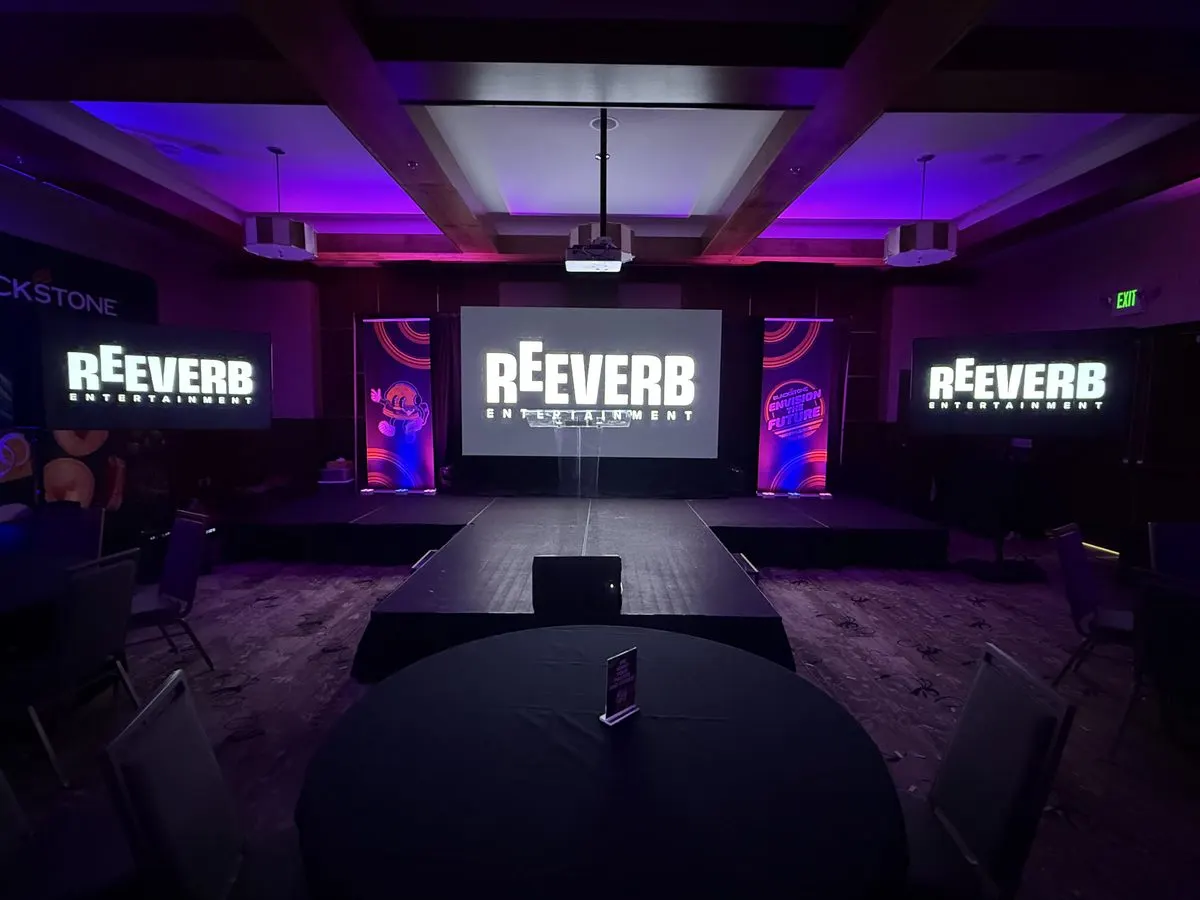
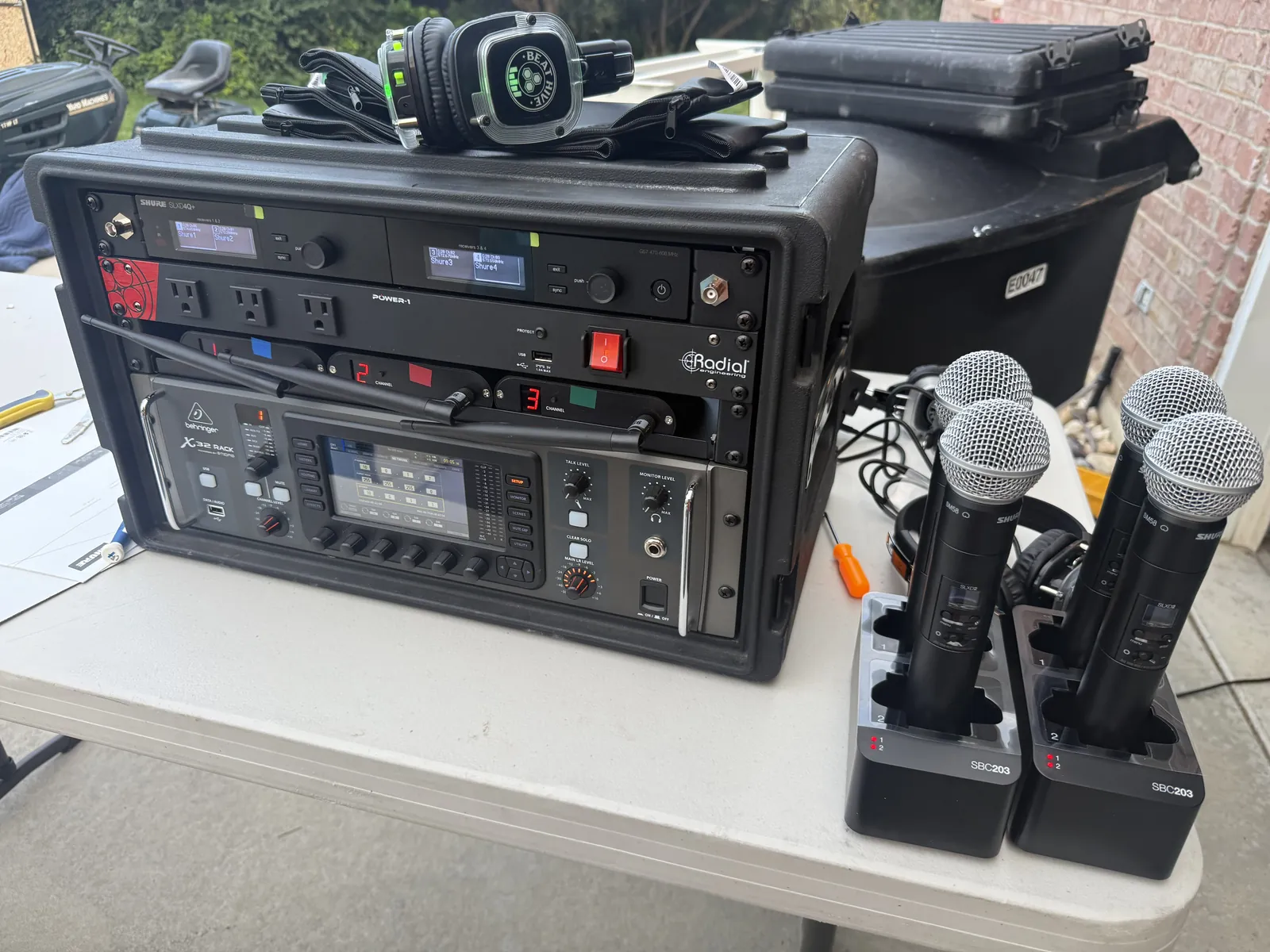
We get asked by potential customers all the time why the companies they hire get feedback all the time. So to make it easy, we put together this guide. Simplified, so you can understand how you might be able to fix your feedback problem.
We run corporate AV, live sound and staging across the Wasatch Front and the mountain towns, and we rent out the same gear we use ourselves. Whether you hire an audio team or run the system yourself, the rules below are the same.
The sound chain: four steps, every single time
Every sound system is the same four steps in a row. A person talks. A microphone hears it. A mixer decides how loud it is. Speakers push it out to the room. That is the whole thing.
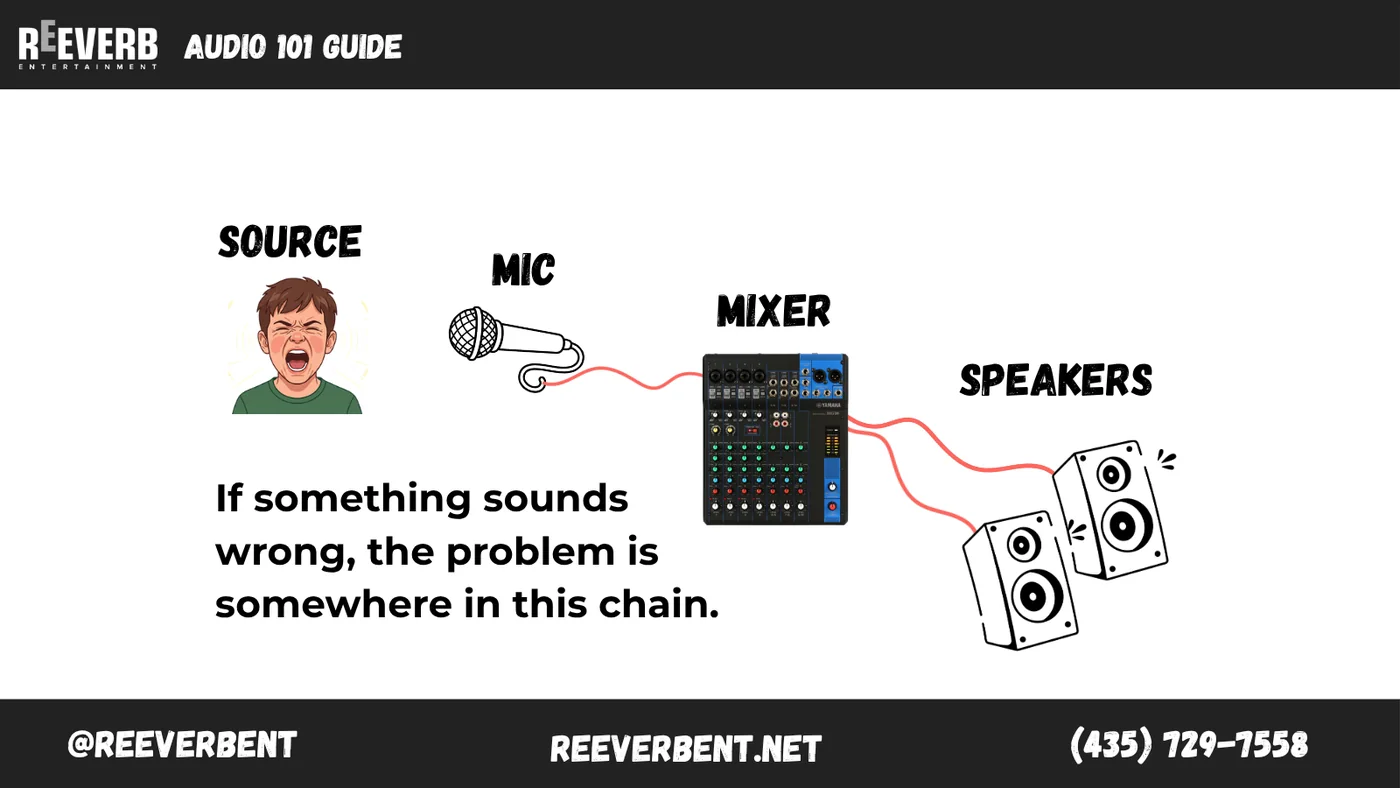
This matters because it tells you where to look when something goes wrong. If the room cannot hear the speaker, the fault is on one of those four links. Start at the front and work backward.
Four things worth learning

Learn these four and you have covered the vast majority of what goes wrong at a wedding reception, a corporate general session, a school assembly or a fundraiser.
How to hold a handheld microphone
The single biggest jump in sound quality at any event is free. It is just holding the microphone correctly.
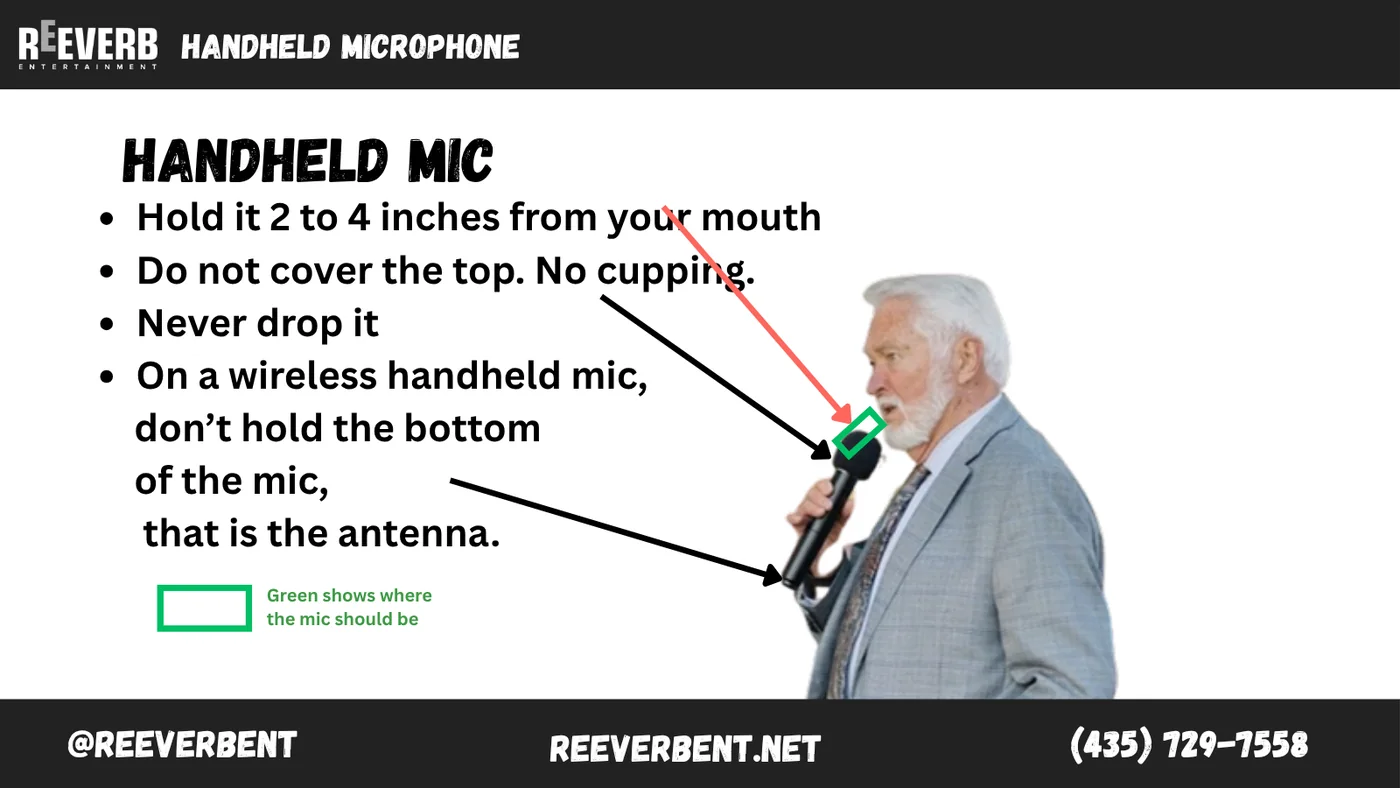
- Hold it two to four inches from your mouth, not down by your chest.
- Do not cup your hand over the top. Cupping the grille kills the microphone pattern and invites feedback.
- Never drop it. A dropped capsule is usually a dead capsule.
- On a wireless handheld, keep your hand off the bottom. That is the antenna, and covering it is what causes the crackle and dropout people blame on the sound company.
If a presenter will not keep the microphone up, that is usually the moment we move them to a lavalier. We break down that decision in our guide to handheld versus lavalier microphones for conferences.
Where a lavalier microphone actually goes
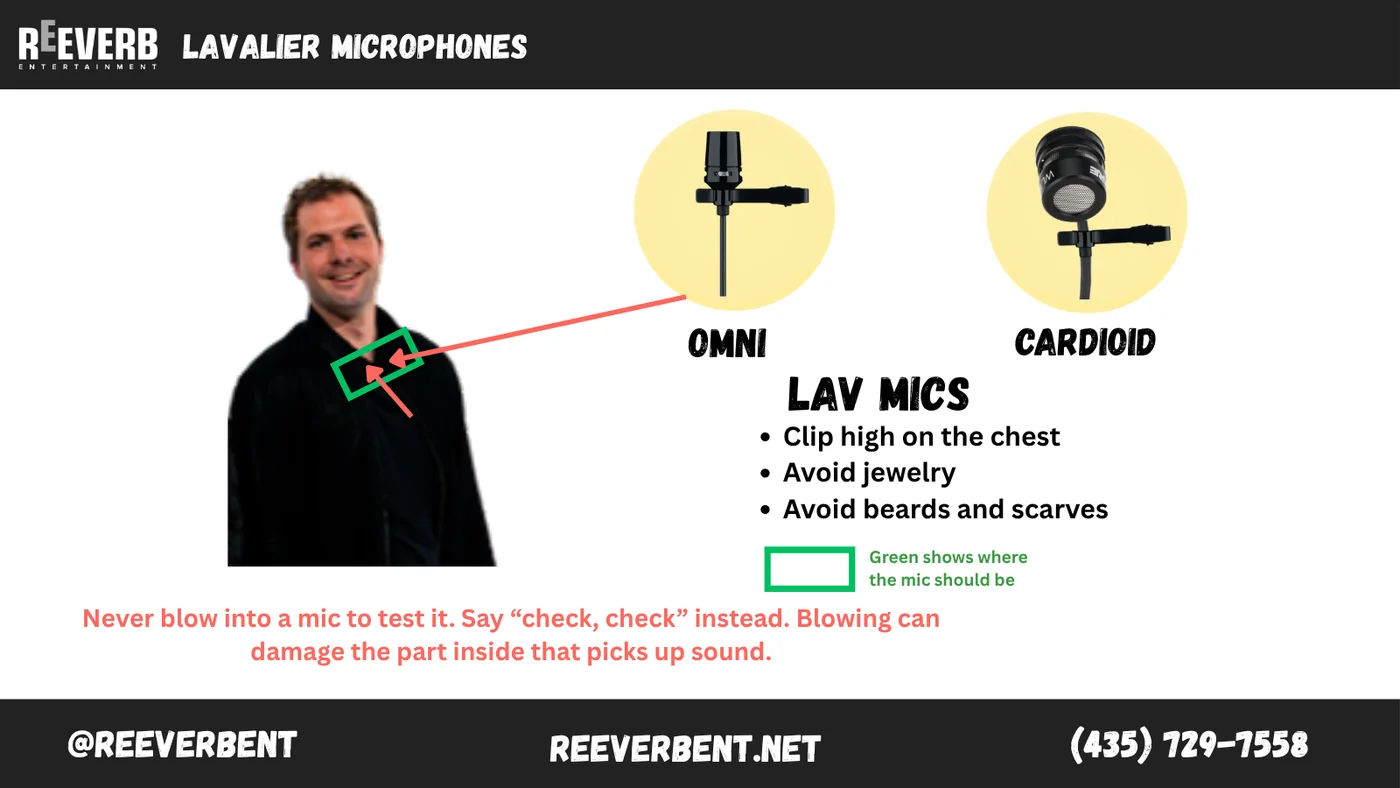
A lavalier lives high on the center of the chest, roughly a hand width below the chin. Too low and the voice goes thin and quiet, because you are pointing the microphone at a shirt instead of a mouth.
- Keep it away from necklaces and lapel pins. Metal on metal is a tapping sound the room will hear all night.
- Keep it clear of beards and scarves. Anything that brushes the capsule makes noise.
- Lavaliers hear in every direction, which is exactly why they feed back sooner than a handheld does.
One rule for every microphone: never blow into it to test it. Say “check, check” instead. Blowing damages the part inside that picks up sound.
Pickup patterns: point it at what you want to hear
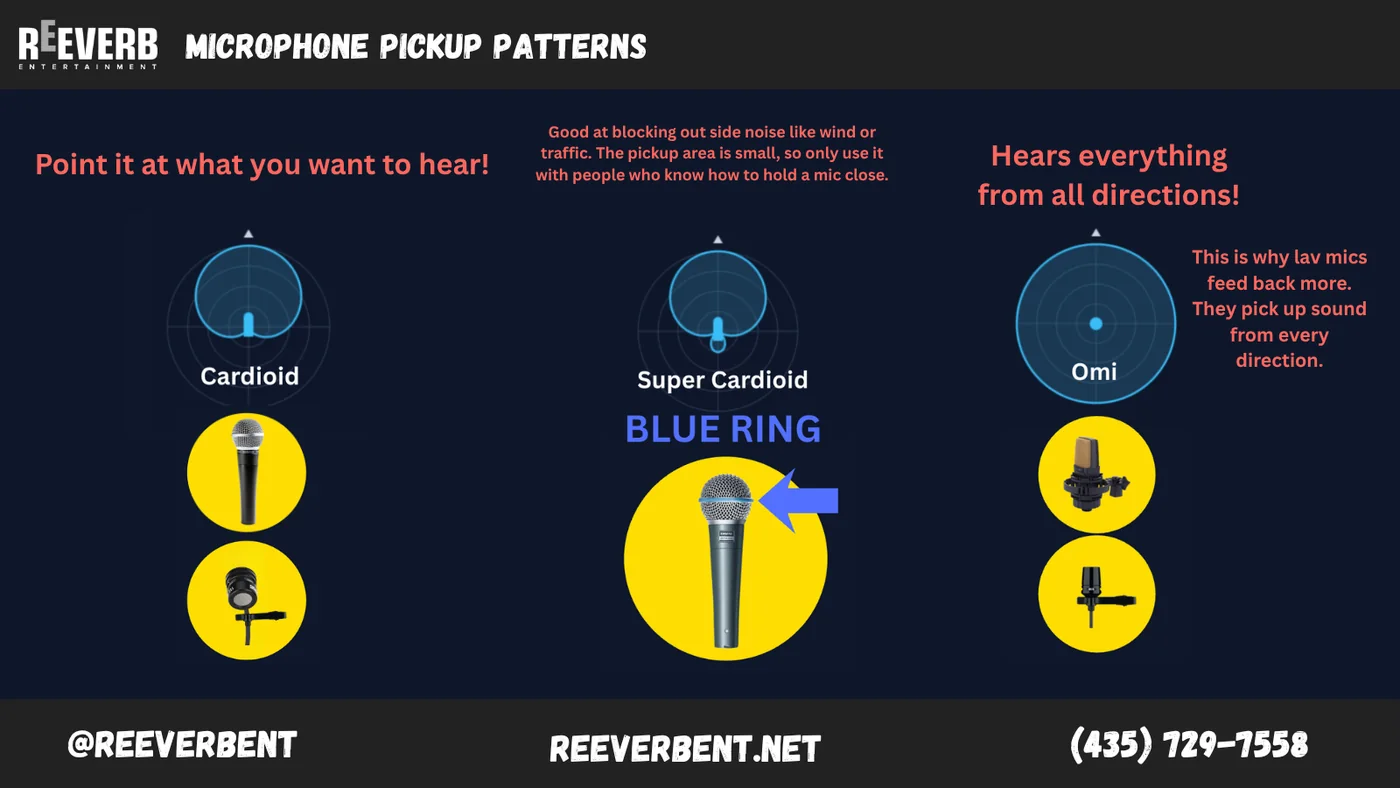
Every microphone has a shape it listens in. A cardioid hears mostly what is directly in front of it and rejects what is behind. A super cardioid narrows that even further, which is great for blocking out wind or traffic but only works with someone who will keep the microphone close. An omnidirectional lavalier hears everything from all directions, and that is exactly why lavs feed back more often than handhelds.
Gain versus volume, and why they are not the same
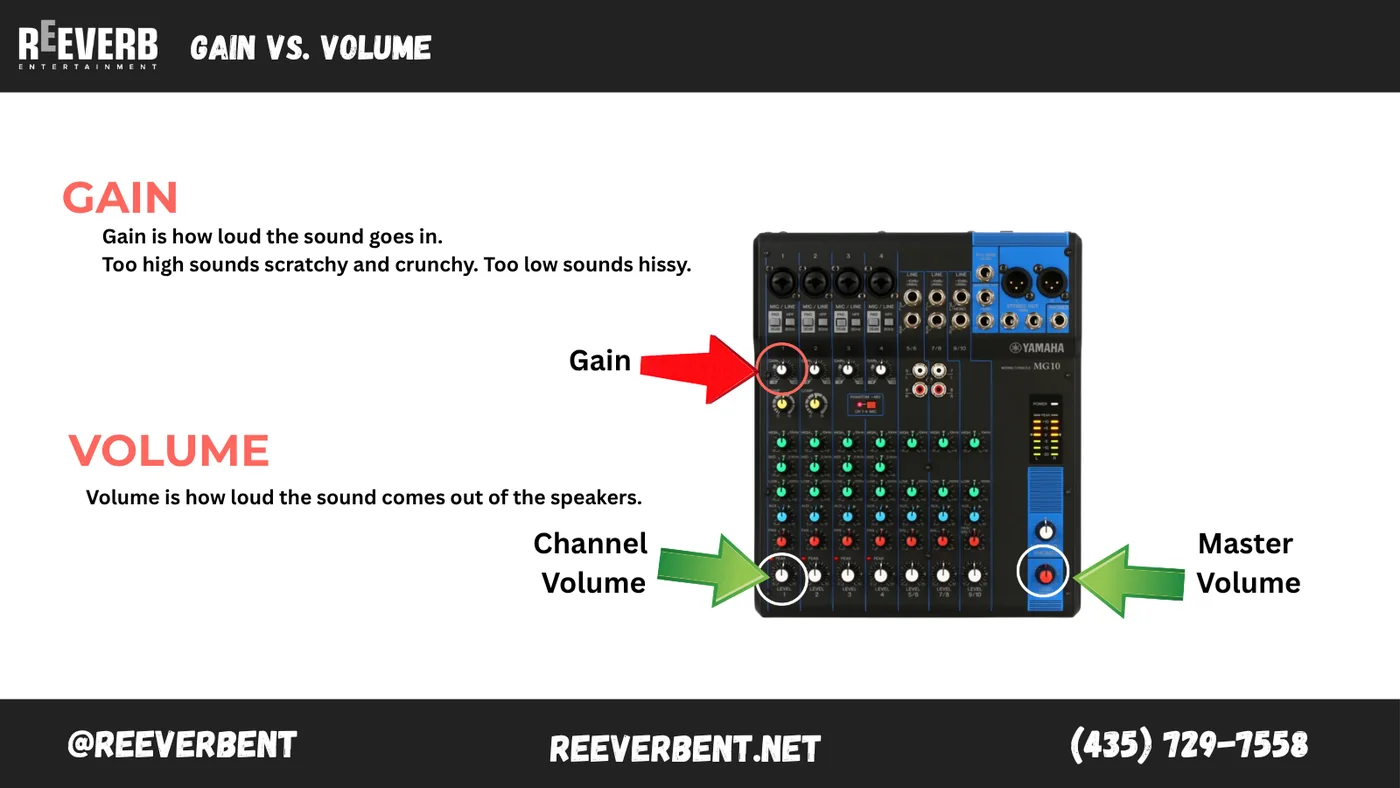
Gain is how loud the sound goes in. Set it too high and the audio sounds scratchy and crunchy, like a broken speaker. Set it too low and you get a hissy, thin voice that nobody can make out.
Volume is how loud the sound comes out of the speakers. If a microphone sounds distorted, turning down the volume will not fix it. The damage already happened at the gain stage.
Why microphones squeal, and how to stop it
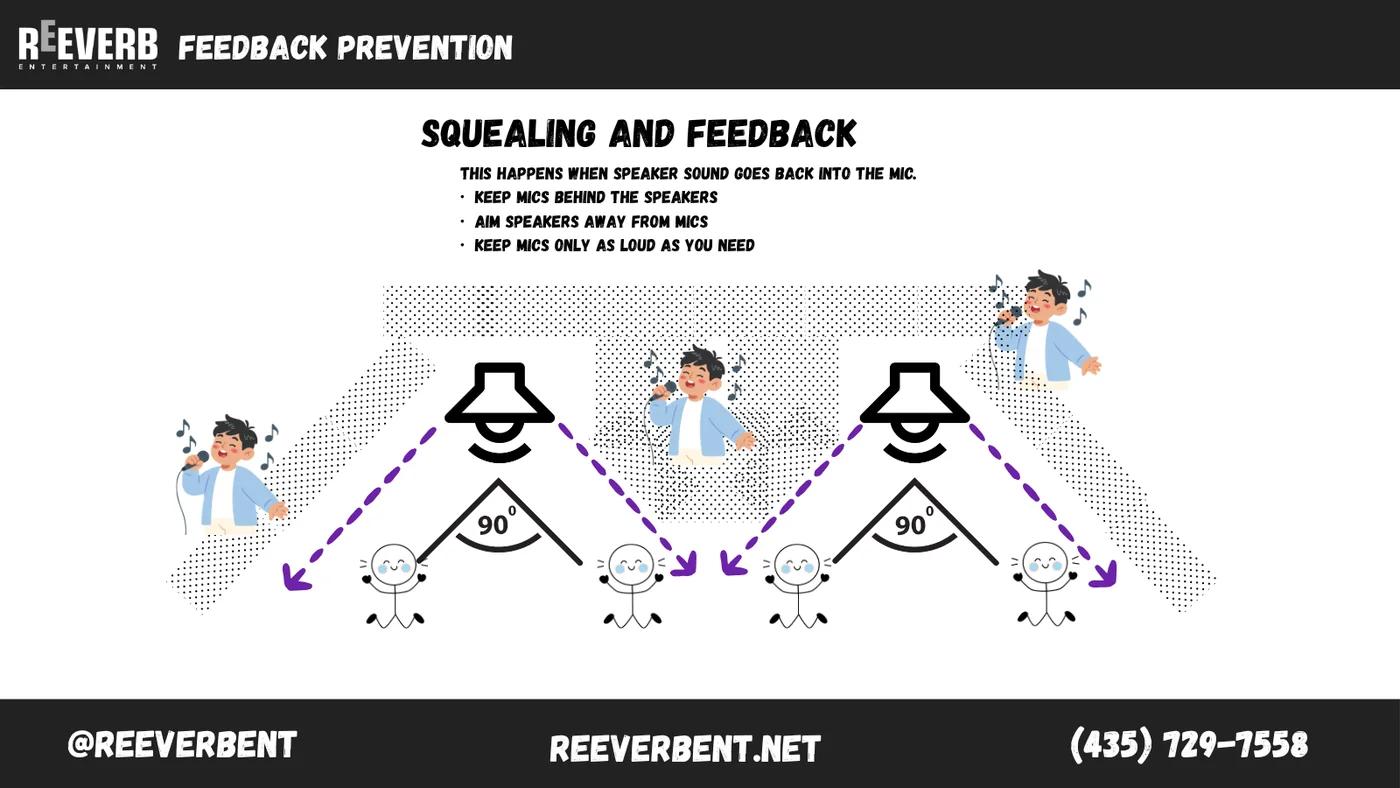
Feedback is the squeal everybody recognizes and nobody can explain. Here is the explanation: sound leaves the speaker, gets picked up by the microphone, goes back through the system, comes out of the speaker again, and gets picked up again. The loop repeats so fast that it stacks up into that howl.
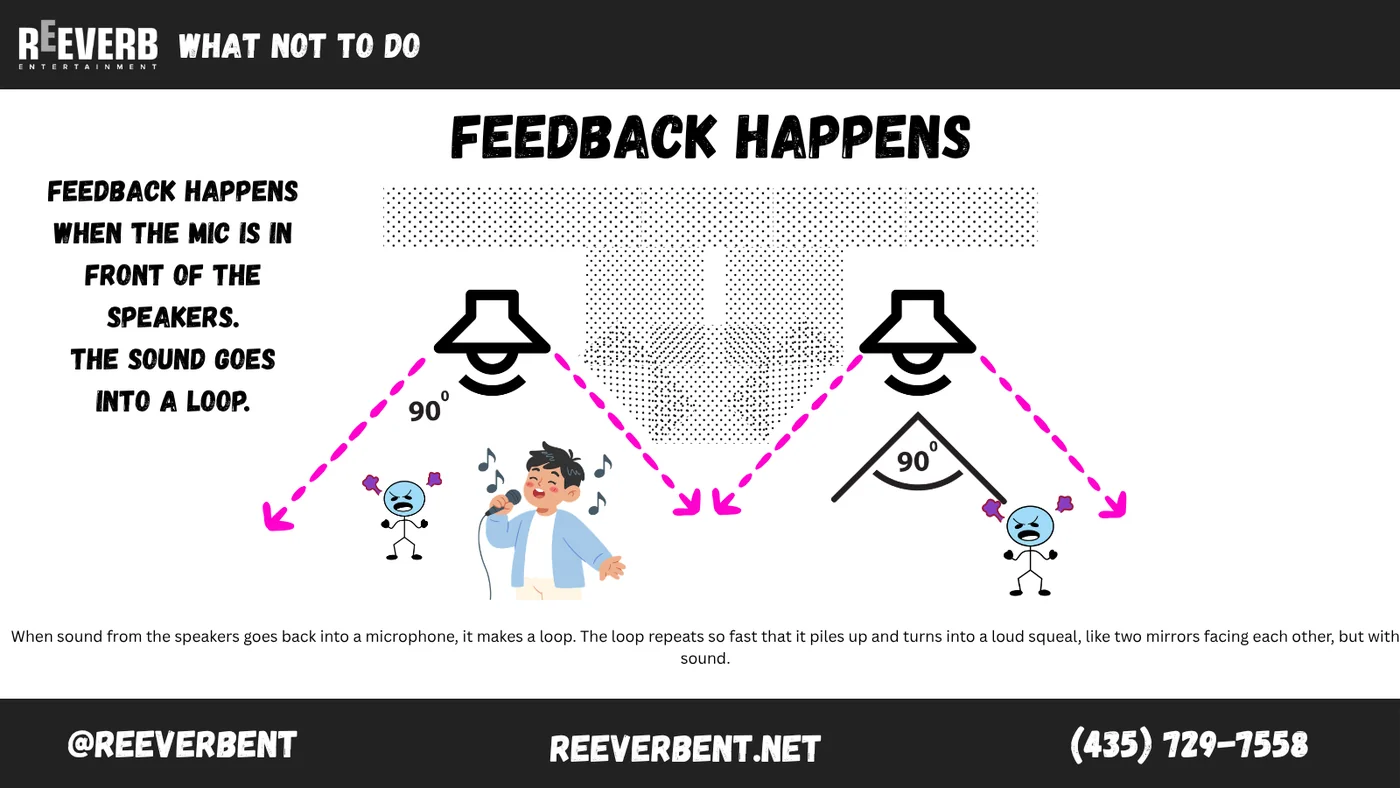
- Keep microphones behind the speakers, never in front of them.
- Aim the speakers out at the audience and away from where people will be talking.
- Run the microphone only as loud as the room needs. Every extra decibel of gain brings you closer to the squeal.
- Get the microphone closer to the mouth. Close mic technique buys you more usable volume than any knob on the console.
Where the speakers go
Speaker placement is where most self run systems quietly fall apart. The gear is fine. The positions are not.
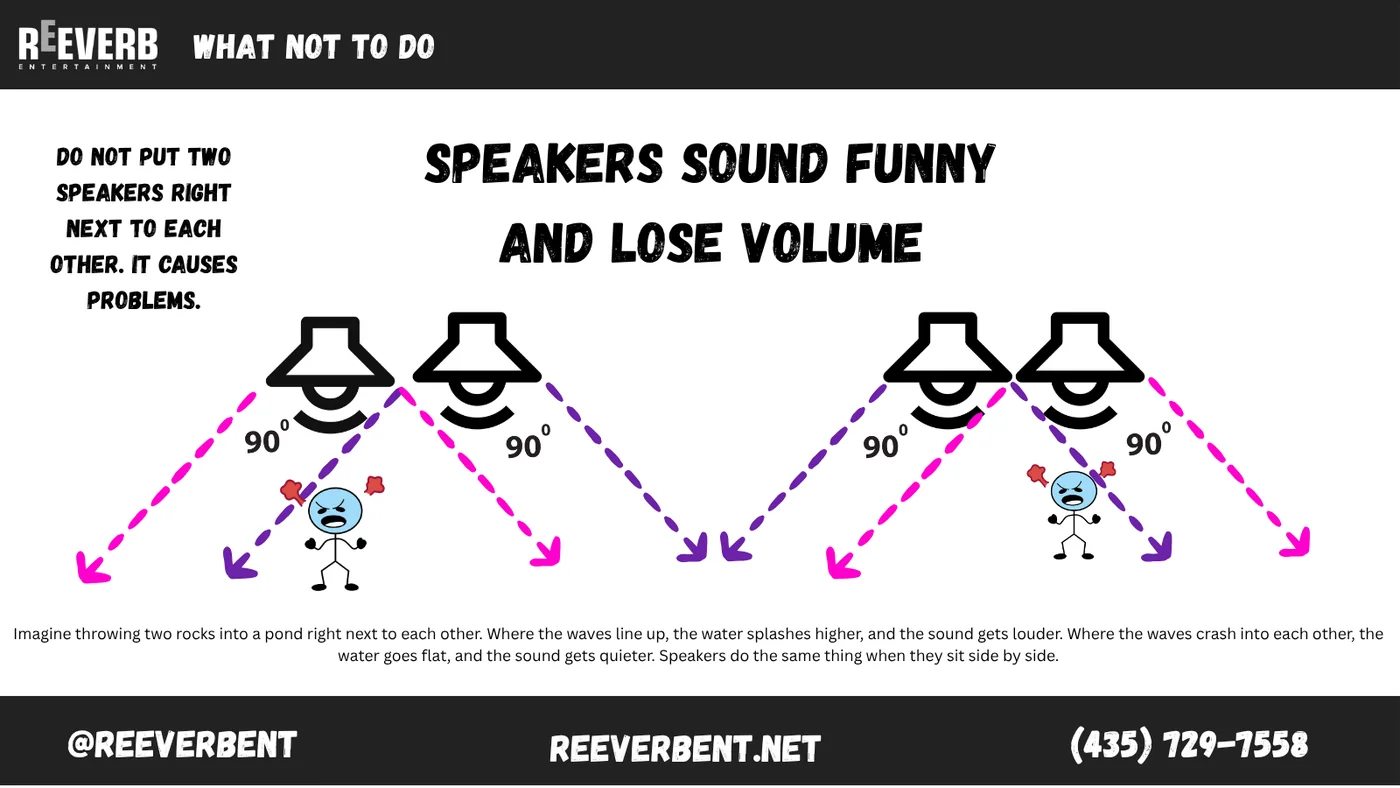
Picture throwing two rocks into a pond right next to each other. Where the ripples line up, the splash gets bigger. Where they crash into each other, the water flattens out. Speakers do exactly that with sound waves. Push two of them together and you build loud patches and dead patches into the room on purpose.
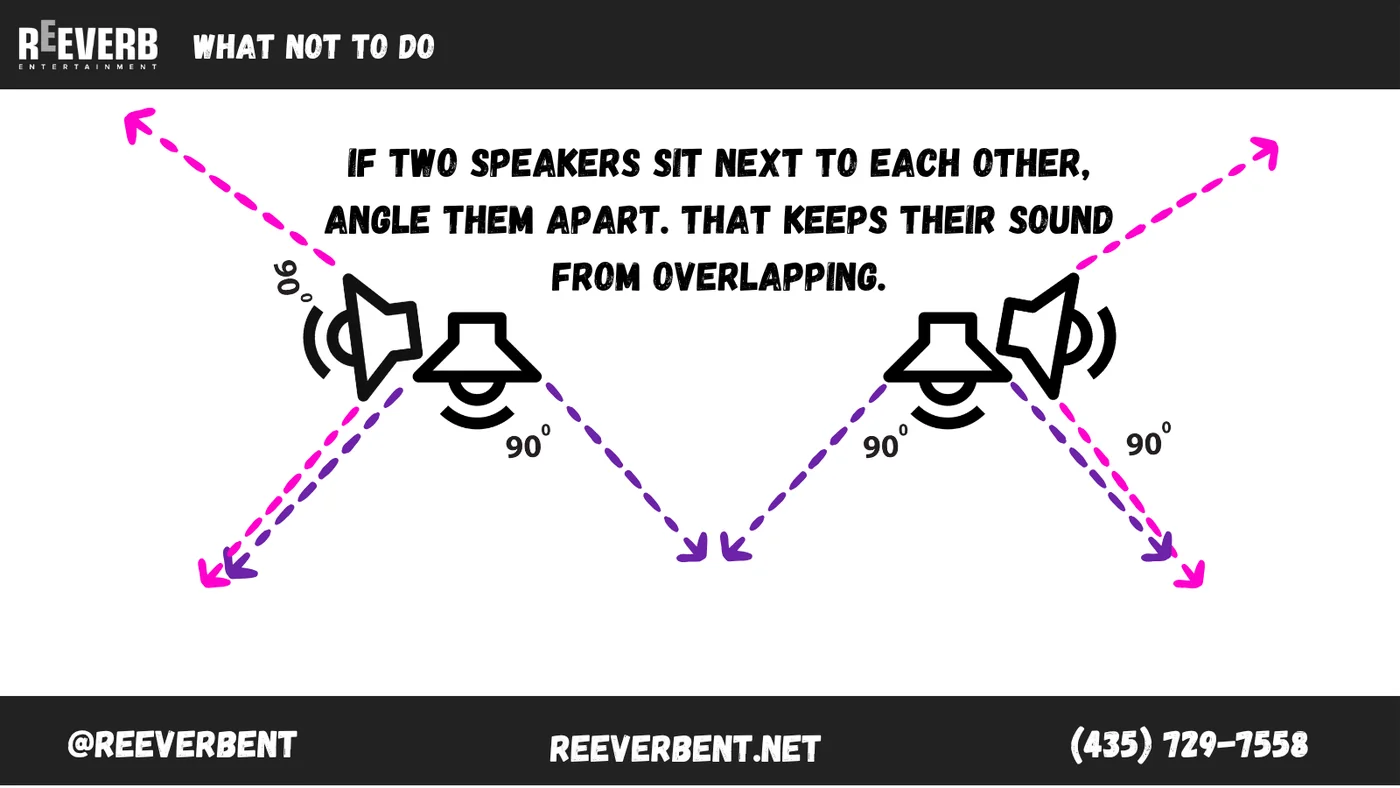
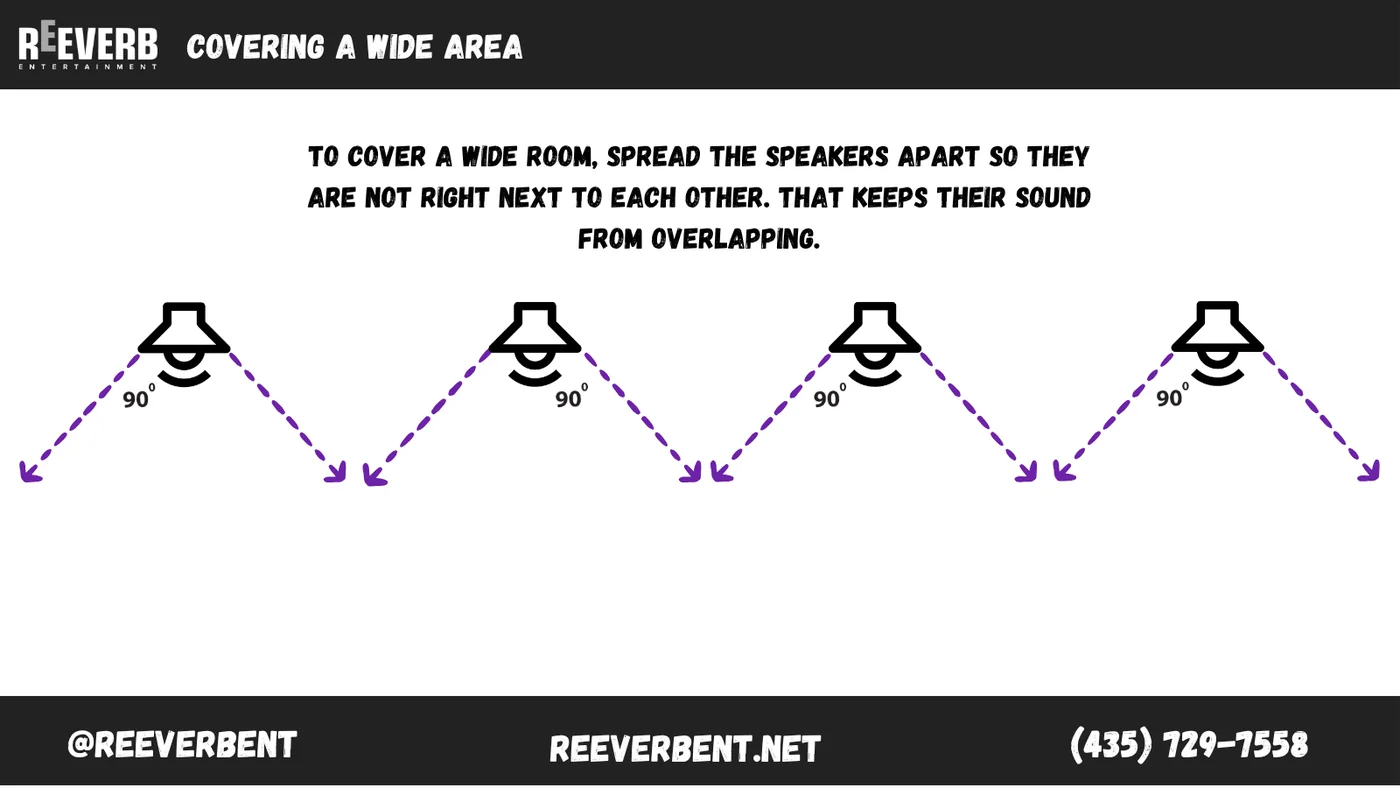
Splay: how wide does your speaker actually throw?
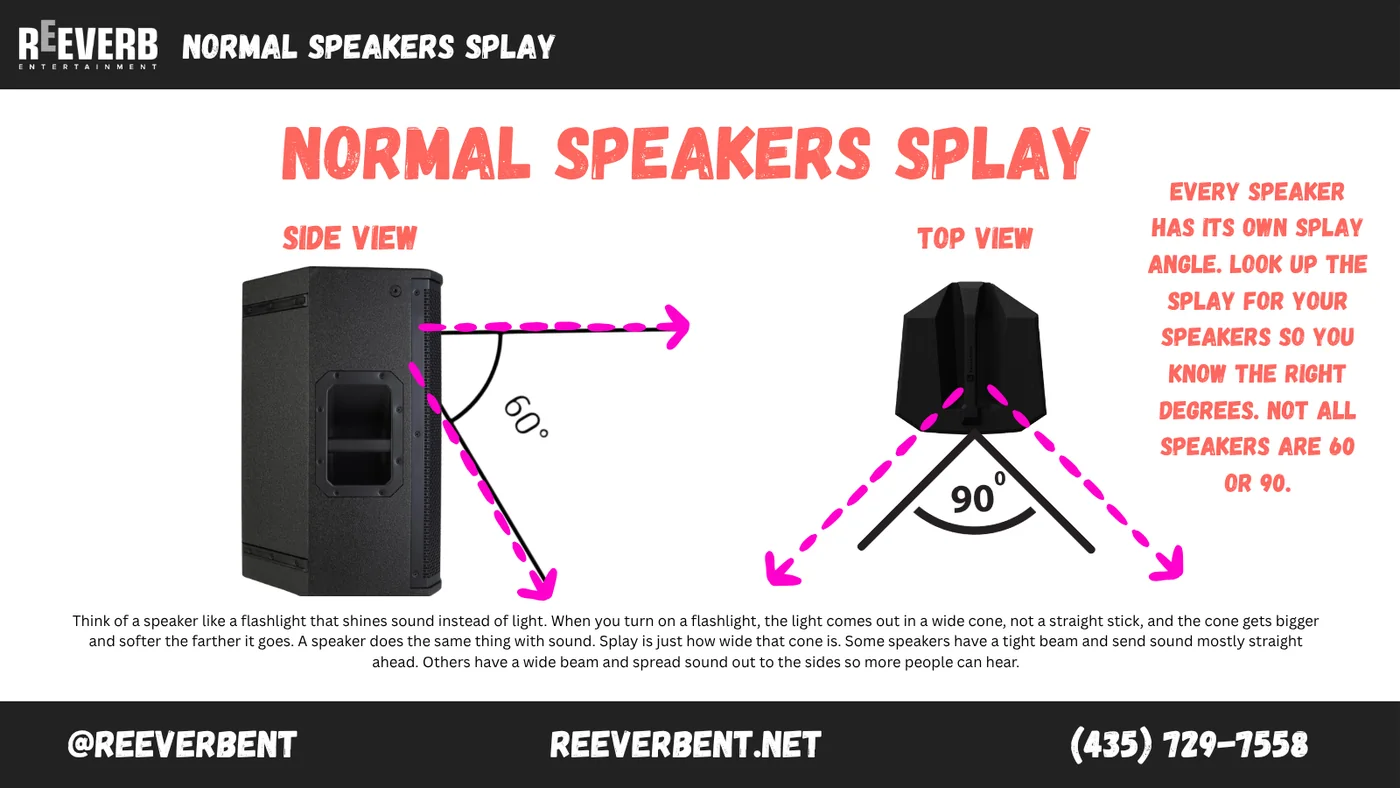
Think of a speaker like a flashlight that shines sound instead of light. The beam comes out as a cone, and the cone gets wider and softer the farther it travels. Splay is just how wide that cone is. Some boxes have a tight beam that throws straight down the room. Others spread wide so more people are covered up close.
Every model has its own splay angle. Look up the number for the speakers you actually have. Assuming everything is 60 by 90 is how rooms end up with a hot center aisle and nothing on the outside tables.
Point source, column array and line array
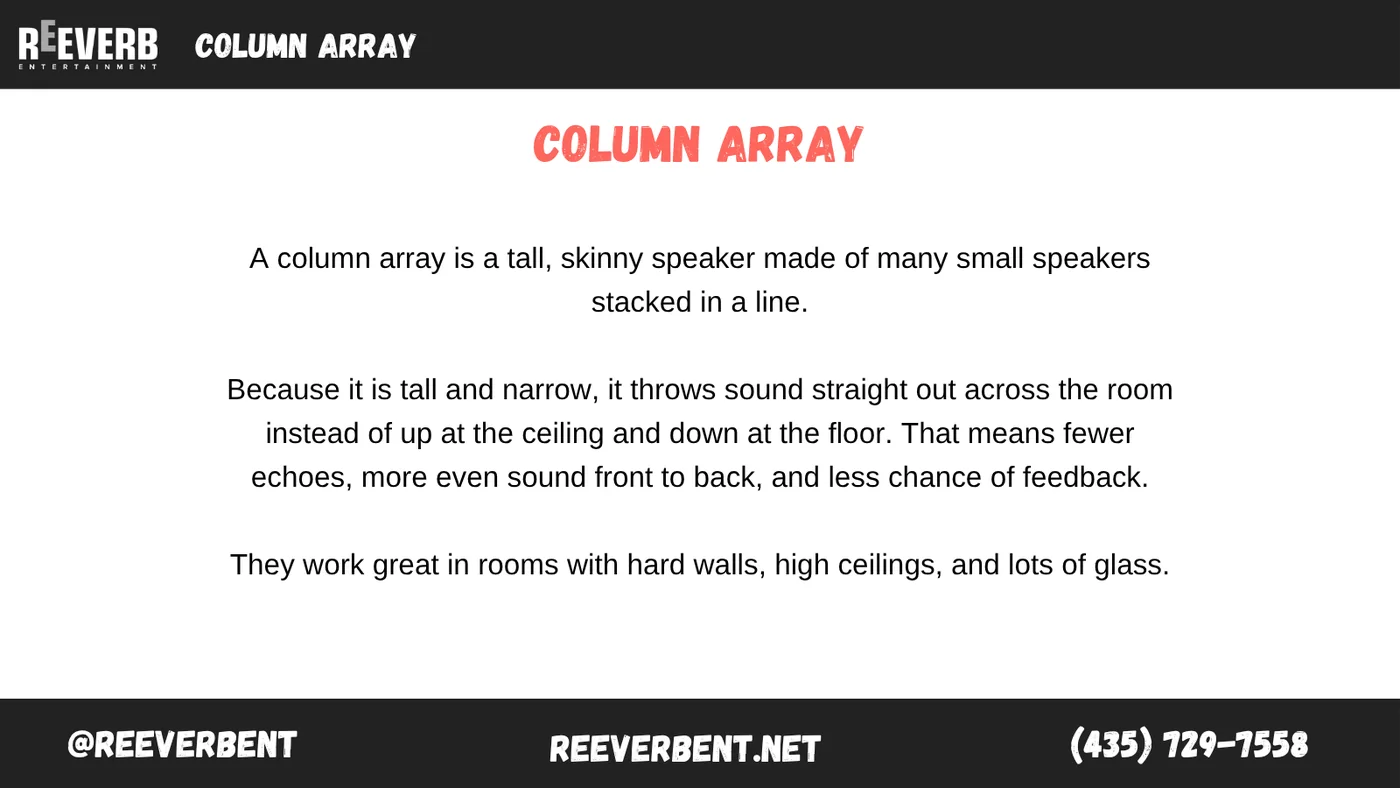
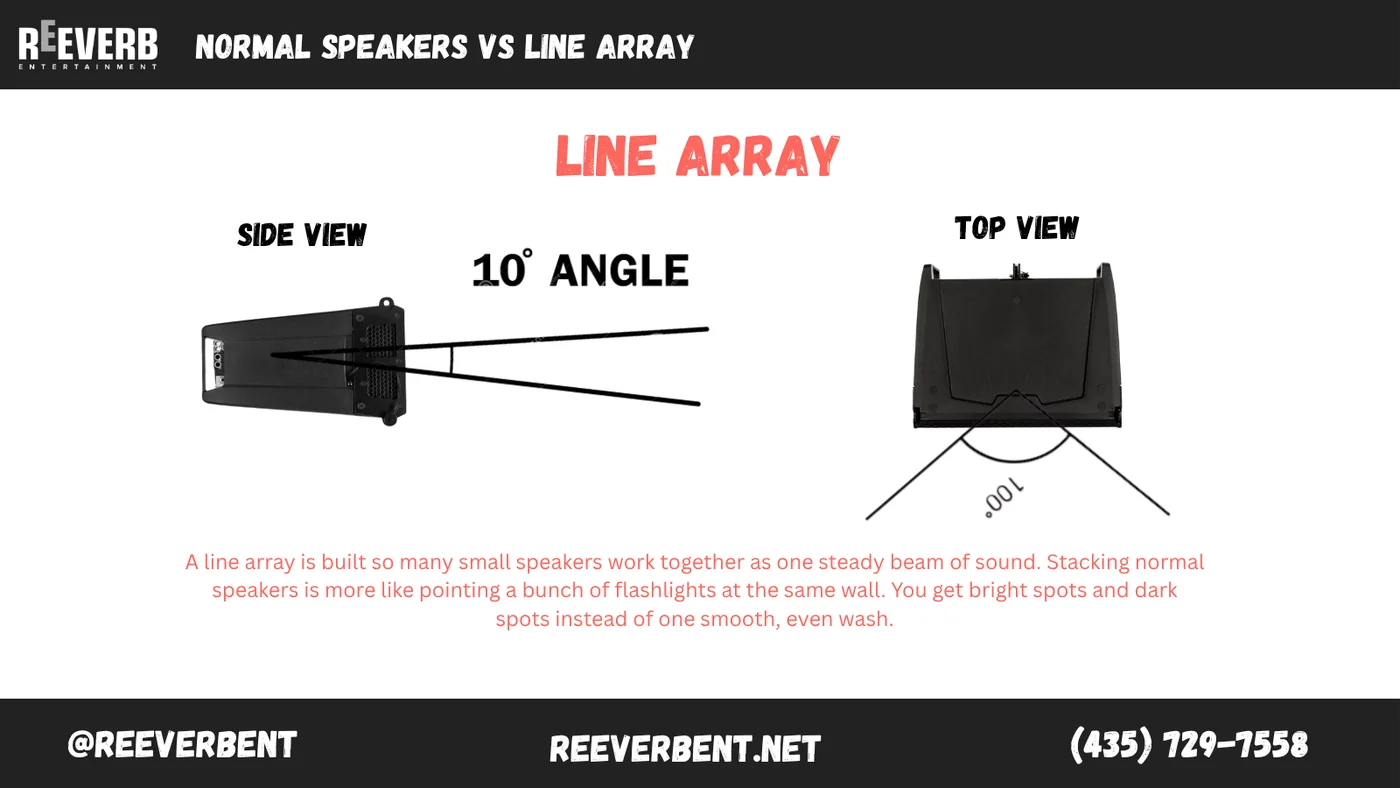
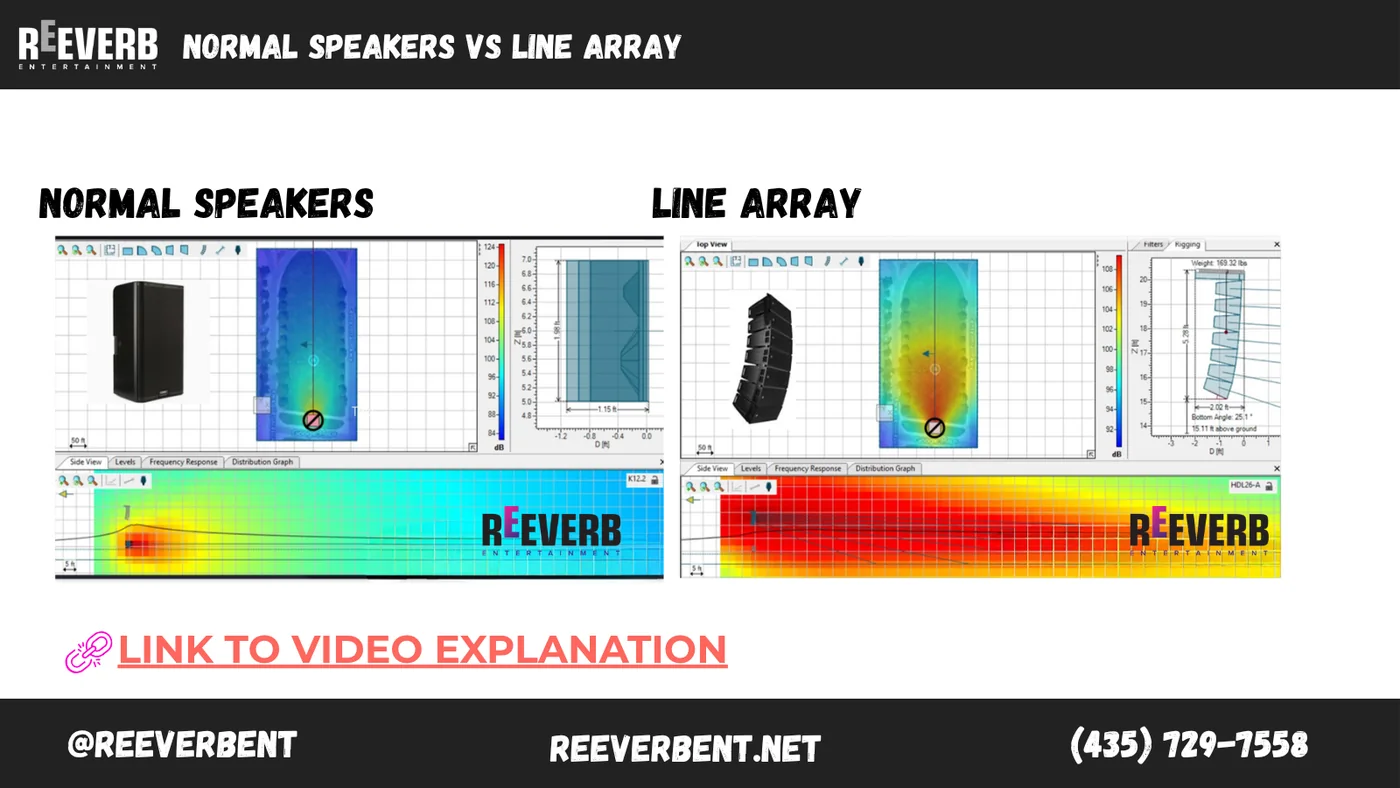
Stacking normal speakers is like pointing a handful of flashlights at the same wall. You get bright patches and dark patches rather than one smooth, even wash. A properly designed line array is built so all those small boxes behave as a single controlled beam, which is why a big ballroom or an outdoor concert gets one instead of four speakers on sticks.
Quick troubleshooting: what to check first
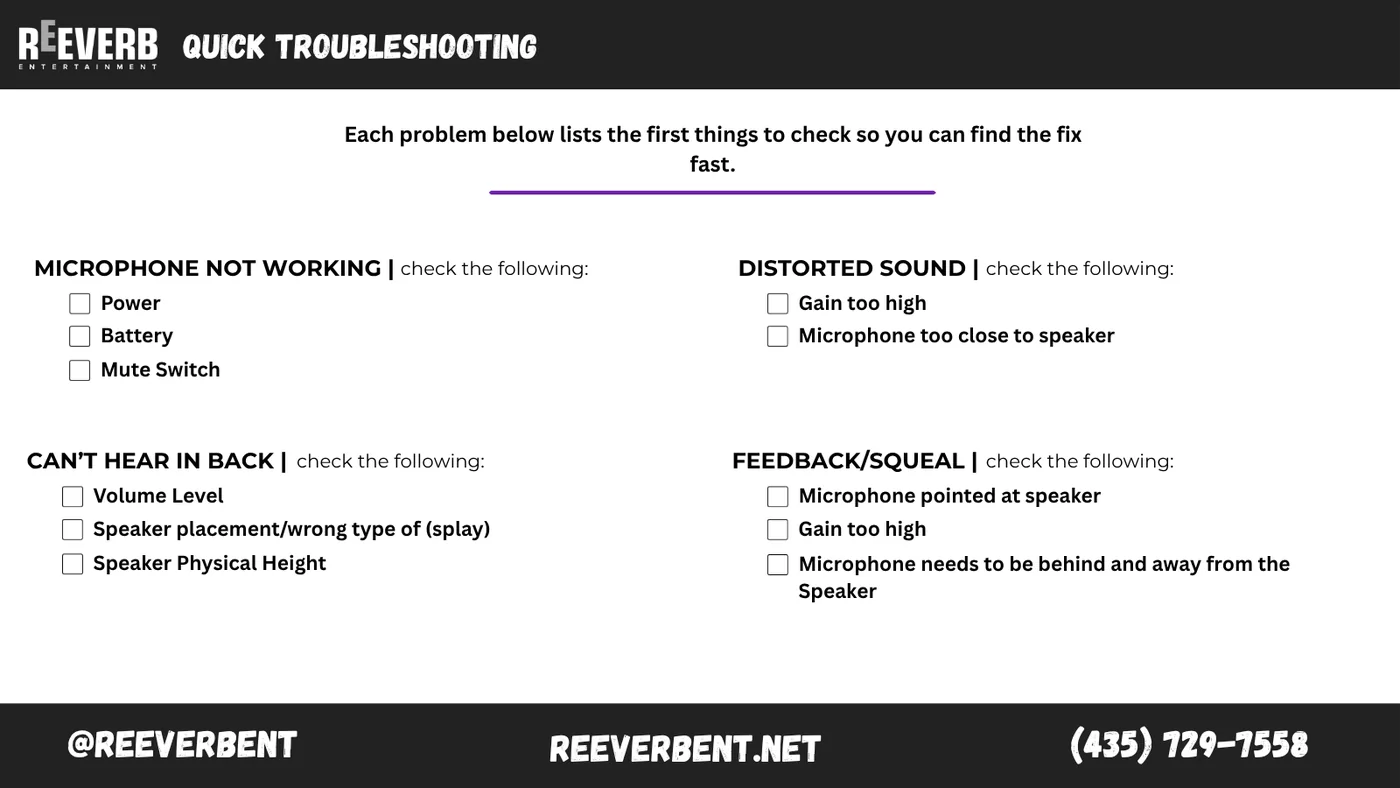
Work these in order. Nine times out of ten the answer is in the first two.
- Microphone not working: power, battery, mute switch. In that order.
- Distorted sound: gain set too high, or the microphone is sitting too close to a speaker.
- Nobody can hear in the back: volume level, speaker placement and splay, and how high the speakers physically sit. Speakers on the floor get absorbed by the first three rows of people.
- Feedback and squeal: the microphone is pointed at a speaker, or the gain is too high. Move the microphone behind and away from the speakers.
When to bring in an audio team
Everything above is enough to run a small meeting, a classroom or a backyard event on your own. The point where people call us is usually one of three: the room is bigger than a couple of speakers can cover, there are more than two or three microphones live at once, or the event is the kind where sound failing is not survivable. A keynote, an awards night, a livestream, a general session with the whole company in the room.
If you want the gear without the crew, our rental prices are published on the site, including powered speakers, wireless microphone systems and mixers. If you want the crew, tell us about the room and we will tell you straight what it needs. We cover Salt Lake City, Park City, Ogden, Provo and the mountain towns from our Northern Utah warehouse.